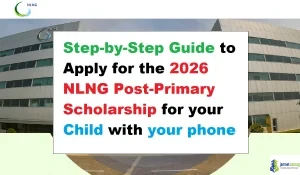
If your child is in Basic Six and attends a public primary school in Rivers State, the NLNG Post-Primary Scholarship Scheme (PPSS) 2026 may help them move into secondary school with strong financial support.

Join our Telegram Channel for Instant Scholarship Updates
This scholarship is one of NLNG’s education support programmes for high-performing pupils from its host communities. The good news is that you can complete the application using your phone if you follow the steps carefully.
In this guide, you will learn:
- Who can apply
- The documents you need
- How to apply on a mobile phone
- The suggested application timeline
- Helpful tips to avoid mistakes
What Is the NLNG Post-Primary Scholarship?
The NLNG Post-Primary Scholarship is an education support scheme for high-performing Basic Six pupils from NLNG host communities in Rivers State.
The programme is designed to help eligible pupils gain access to quality secondary education. It is part of NLNG’s long-term commitment to education and human capital development.
NLNG Post-Primary Scholarship 2026 Summary Table
Host: NLNG
Category: Post-Primary / Secondary School Scholarship
Eligible Country: Nigeria
Location: Rivers State
Reward: Full scholarship support
Application Opens: April 20, 2026
Deadline: May 11, 2026
Application Method: Online
Device Needed: Phone, tablet, or computer
Who Can Apply for the Scholarship?
To be eligible, your child must:
- Be a Basic Six pupil
- Be in a public primary school in Rivers State
- Be an indigene of an NLNG host community
- Be between 10 and 12 years old
- Not be a beneficiary of another scholarship award
- Not be related to any NLNG staff member
PLWDs are encouraged to apply, and reasonable adjustments may be available during the selection process.
Documents Required for Application
Before starting the application, gather the following documents in clear scanned format:
- First term, second term, and third term results for Basic 4, 5, and 6
- A birth certificate issued by the National Population Commission
- An attestation letter signed and stamped by the headmaster or headmistress
- An indigene confirmation letter signed by the CDC Chairman or Community Chief
- A Local Government Area (LGA) identification letter
- A recent passport photograph
- Provisional admission into one of the partner secondary schools, where required
Important photo note
Your passport photo should:
- Be recent
- Not be older than 3 months
- Show your face clearly
- Not include glasses
Suggested Timeline for the Application
A simple timeline can help you avoid last-minute stress.
Before April 20, 2026
- Gather all documents
- Scan or take clear photos of each document
- Confirm the child meets the age and class requirements
- Prepare a reliable internet connection and a mobile phone
April 20, 2026
- The application portal opens
- Start the application early rather than waiting
April 20 to May 5, 2026
- Fill the form carefully
- Upload documents
- Review every section before submitting
May 6 to May 11, 2026
- Use this period only for corrections or final checks
- Submit before the deadline
After submission
- Save your confirmation details
- Watch your email and phone for updates
- Prepare for the selection test if shortlisted
How to Apply for the NLNG Post-Primary Scholarship With Your Phone
Follow these steps carefully.
Step 1: Open the NLNG Scholarship Portal on Your Phone
Use your phone browser and visit the official NLNG scholarship portal:
nlngscholarships.smapply.io/prog/ppss
Make sure you are on the correct website before entering any personal information.
Step 2: Register a New Account
Tap Register if this is your first time applying.
Enter:
- Parent or guardian details
- A valid email address
- Phone number
- Any other requested information
Check your email inbox and spam folder for the activation message.
Step 3: Log In to Your Account
After activation, log in to your account using the email and password you created.
Once logged in, go to View Programs and locate the Post-Primary Scholarship Scheme.
Step 4: Open the Application Form
Tap More or the relevant button to begin the application.
Read all instructions carefully before filling in the form.
Step 5: Fill in the Child’s Personal Information
Enter the child’s:
- Full name
- Date of birth
- School name
- Class
- Home address
- Local government area
- Contact details
Make sure the information matches the documents you will upload.
Step 6: Upload the Required Documents
Use the upload section to attach the scanned documents listed earlier.
Before uploading, ensure that:
- Each file is clear
- The file name is easy to identify
- The documents are the correct ones
- All pages are visible and readable
If your phone camera is the only option, place the documents on a flat surface and take bright, clean photos.
Step 7: Review the Application Carefully
Before you submit, check:
- Names and dates
- Phone number and email address
- Uploaded files
- Spelling and school information
A small mistake can delay or invalidate the application.
Step 8: Submit the Application
Once everything is correct, tap Submit.
After submission:
- Save the confirmation page
- Take a screenshot if possible
- Write down any reference number provided
Step 9: Keep Monitoring Your Email and Phone
NLNG may contact applicants about:
- Selection tests
- Additional documents
- Admission updates
- Further instructions
Step 10: Prepare for the Selection Test
If shortlisted, your child may be invited to a paper-based selection test at a designated centre in Port Harcourt or Bonny.
Make sure to:
- Keep the child ready for the test
- Follow all instructions from NLNG
- Arrive early on the test day
Tips to Ensure a Successful Application
- Apply as early as possible
- Use a strong internet connection
- Do not wait until the deadline day
- Scan documents clearly before uploading
- Use a valid email that you check often
- Double-check the child’s age, school, and community details
- Keep copies of every document you upload
- Read all instructions on the portal before submitting
Common Mistakes to Avoid
- Using unclear document photos
- Uploading the wrong class results
- Entering incorrect names or dates
- Applying after the deadline
- Forgetting to activate the account
- Ignoring emails from NLNG
- Using someone else’s phone number or email that you cannot access
Why This Scholarship Matters
The NLNG Post-Primary Scholarship can help strong pupils from host communities continue their education with less financial pressure.
For many families, it is a valuable chance to support a child’s education at the secondary school level and open the door to better academic opportunities.
Final Thoughts
Applying for the NLNG Post-Primary Scholarship on your phone is simple when you prepare early and follow each step carefully.
If your child is eligible, start gathering the documents now so you can apply as soon as the portal opens on April 20, 2026.
A careful, complete, and early application can make a big difference.
Frequently Asked Questions (FAQs)
1. Who can apply for the NLNG Post-Primary Scholarship?
Basic Six pupils in public primary schools in Rivers State who are indigenes of NLNG host communities can apply.
2. What is the age limit for the scholarship?
Applicants must be between 10 and 12 years old.
3. Can I apply with my phone?
Yes. The application can be completed on a phone, tablet, or computer.
4. When does the application open?
The 2026 application opens on April 20, 2026.
5. When is the deadline?
The deadline is May 11, 2026.
6. Is the scholarship only for Rivers State pupils?
Yes. The child must be in a public primary school in Rivers State and belong to an NLNG host community.
7. What documents are needed?
Results from Basic 4, 5, and 6, a birth certificate, attestation letter, indigene letter, LGA letter, and a passport photo.
8. Is the application free?
Yes. There is no application fee.
9. Will there be a test?
Yes. Shortlisted pupils may write a paper-based selection test.
10. Where will the test take place?
The test will likely be held at designated centres in Port Harcourt and Bonny.