
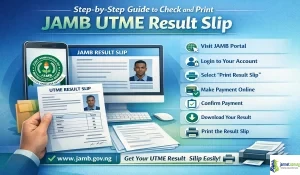
If you have written the JAMB UTME exam, the next important step is to check and print your JAMB result slip. This document is very important because it contains your full result details, including your passport photo, scores, and exam information.

Join our Telegram Channel for Instant Scholarship Updates
In this guide, you will learn how to:
- Check your JAMB UTME result
- Print your original result slip
- Save it as a PDF
- Avoid common mistakes during the process
What is the JAMB UTME Result Slip?
The JAMB UTME result slip is the official document that shows:
- Your full name
- Registration number
- Passport photograph
- UTME scores (all subjects)
- Exam details
Unlike the SMS or basic result check, this slip is required for:
- Admission screening (Post-UTME)
- School verification
- Scholarship applications
Requirements to Print JAMB Result Slip
Before you begin, make sure you have:
- Your JAMB registration number
- Access to the email used during registration
- A smartphone or computer with internet access
- ATM card or online payment option (small fee required)
Step-by-Step Guide to Check and Print JAMB Result Slip
Step 1: Visit the JAMB Result Slip Portal
Open your browser and go to the official JAMB result slip portal here >> https://efacility.jamb.gov.ng/CheckUTMEResult.
Step 2: Enter Your Details
You will be asked to provide:
- JAMB Registration Number OR
- Email Address used during registration
Enter the correct details and continue.
Step 3: View Your Result Slip
Once payment is confirmed:
- Your result slip will appear on the screen
- Check your scores and personal details carefully
Make sure everything is correct before proceeding.
Step 4: Make Payment to Print Original Copy
To access the original result slip, you need to pay a small fee (usually around ₦1,000).
- Choose your preferred payment method
- Complete the transaction
After successful payment, you will be redirected to your result page.
Step 5: Download or Save as PDF
For Android Users:
- Tap the three-dot menu in your browser
- Select Print
- Change destination to Save as PDF
- Tap Download
For iPhone Users:
- Tap the Share icon
- Select Print
- Use pinch-out gesture to convert to PDF
- Save to Files or send to your email
Step 6: Print at a Cyber Café
After saving your result slip:
- Visit a cyber café or printing shop
- Print on A4 paper
- Print at least two copies
Color printing is recommended for clarity.
Alternative Method: Check JAMB Result via SMS
You can also check your result quickly using SMS:
- Send UTMERESULT to 55019 or 66019
- Use the phone number linked to your JAMB registration
Note: This method shows only your scores, not the full result slip.
Common Problems and Solutions
1. Result Not Showing
- Wait and try again later
- Confirm result has been officially released
2. Payment Successful but No Slip
- Refresh the page
- Log out and log in again
3. Incorrect Details on Slip
- Visit a JAMB office or CBT center for correction
4. Portal Not Loading
- Use a different browser
- Try late at night when traffic is low
Important Tips
- Always use the official JAMB website
- Do not share your login details with anyone
- Save multiple copies of your result slip
- Keep both soft and hard copies safe
Why You Need the JAMB Result Slip
The result slip is required for:
- Post-UTME registration
- Admission screening
- School clearance
- Scholarship applications
Without it, your admission process may be delayed.
Final Thoughts
Checking and printing your JAMB UTME result slip is a simple but very important step in your admission journey.
Follow the steps carefully, ensure your details are correct, and keep your result slip safe. This document will be required at different stages of your admission process.
Apply early, stay informed, and prepare for your next step — Post-UTME or admission screening.
Frequently Asked Questions (FAQs)
1. How much does it cost to print JAMB result slip?
It usually costs around ₦1,000.
2. Can I print my result slip without payment?
No. Payment is required to access the original slip.
3. Can I use my phone to print it?
Yes. You can save it as PDF and print later.
4. Is the SMS result enough for admission?
No. Schools require the official result slip.
5. Can I print it multiple times?
Yes. Once paid, you can reprint it anytime.
6. What if I forget my registration number?
Use your registered email to retrieve it.
7. Can I check result without internet?
Only via SMS, but not the full slip.
8. Is color printing compulsory?
Not compulsory, but recommended.
9. How long is the result valid?
It is valid for that admission year only.
10. Where can I print my result?
At any cyber café or CBT center.